When an Urgent 2FA Prompt Appears: Take the 2FA phishing quiz
You’re at your desk when your phone buzzes: an urgent 2FA notification asking you to approve a sign-in you didn’t start. Your coworker swears they didn’t log in either, and the team chat fills with alarms. In that two-second decision window — between hitting approve and thinking it through — stress, time pressure, and alert fatigue push even careful people toward the fastest action: tapping yes.
Here’s the hard truth: over three-quarters of security incidents begin with phishing or credential compromise, and attackers increasingly target two-factor flows. Phishing attempts that mimic legitimate 2FA prompts or exploit weak verification channels can trick trained staff. Urgency and familiarity are their most effective tools.
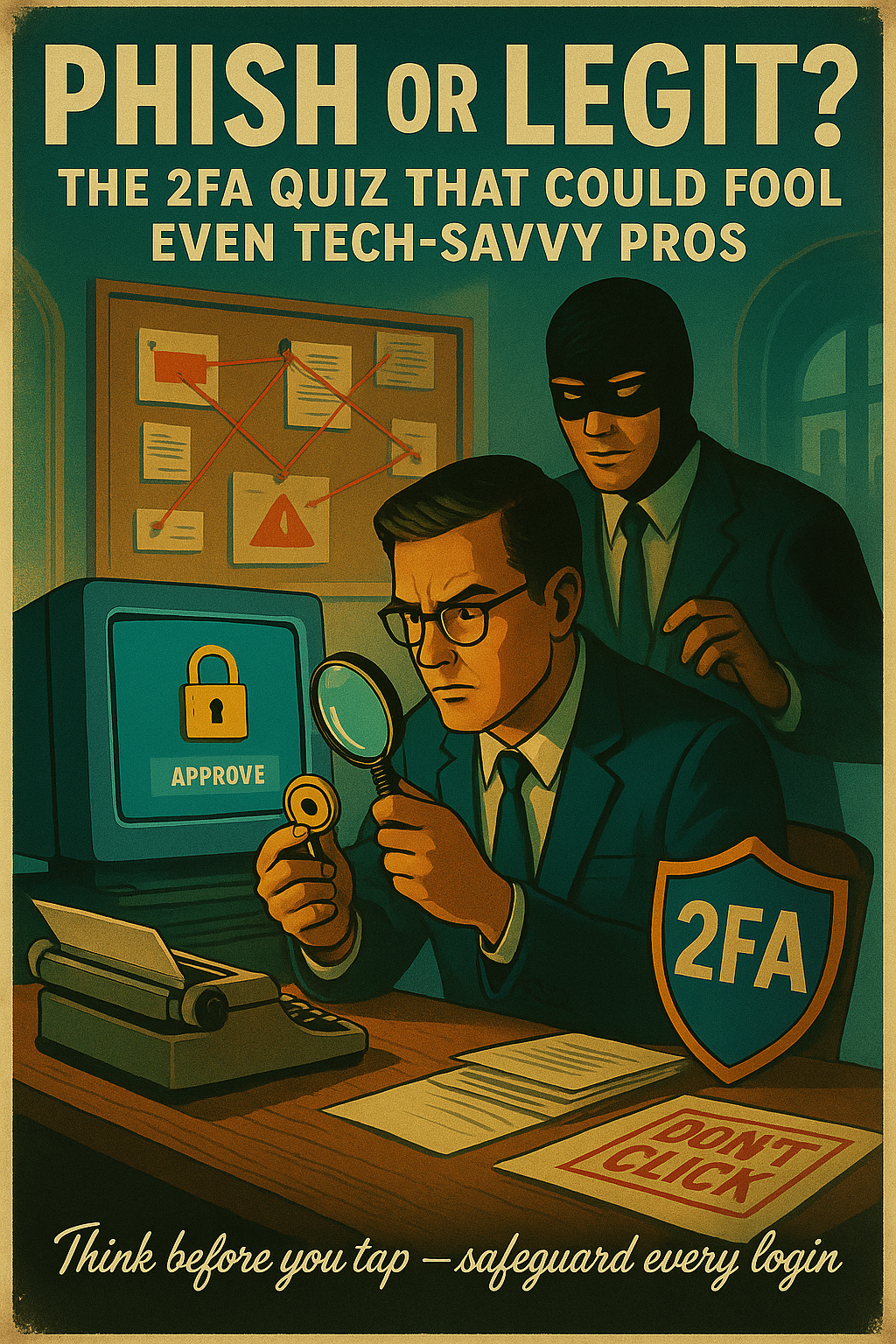
Enter Phish or Legit? The 2FA quiz — a short, interactive training tool designed to sharpen pattern recognition and decision-making. This beginner-friendly 2FA phishing quiz presents real-world prompt examples, explains why a request looks suspicious, and teaches simple checks you can perform in seconds. It’s gamified, practical, and built for busy employees.
Over the next few sections you'll get a step-by-step practice path: recognize subtle red flags, test responses in safe scenarios, and apply quick verification routines that reduce risk. By the end you’ll move from reactive clicks to confident verification—strengthening your team's defenses. Now, let’s look at the context that makes these prompts dangerous.
Why 2FA Prompts Are Now a Frontline for Phishing — and How a 2FA phishing quiz Helps
Two-factor authentication (2FA) is now ubiquitous across business apps and devices; employees expect a second step whenever they log in. That familiarity is useful — but it also makes prompts a high-value target for attackers who craft messages that look legitimate.
Cybercriminals increasingly design social-engineered flows that exploit urgency and familiarity, sending fake alerts that mimic legitimate 2FA push notifications or verification emails. Never approve an unexpected 2FA request without verifying: that split-second approval is how many breaches begin.
Traditional awareness — one-off reminders, generic phishing simulations, and static guides — teaches rules but often fails to prepare people for real-time evaluation of a noisy, stressful prompt. Employees need practice that mirrors the pressure and ambiguity of an actual alert.
This section is for employees facing that urgent security alert: a push that tells you to verify your settings right now. The gamified, scenario-based 2FA phishing quiz called Phish or Legit? trains quick pattern recognition, forces deliberate checks, and encourages sharing lessons with teammates.
How the 2FA phishing quiz works: a 4-step practical framework
The core approach of the 2FA phishing quiz is simple: practice fast, repeatable checks under pressure so employees convert instinctive taps into confident verification. Use these four steps during the quiz and in real situations to reduce risky approvals and build pattern recognition.
1. Recognize red flags in 2FA prompts
Train your eye to spot the most common signs of fakery before you act. The quiz cycles through realistic prompts so you learn to identify these red flags quickly.
- Domain mismatch: Sender or link domain that *almost* matches the real one
- Urgent language: Phrases like "verify now" or "immediate action required" that push panic clicks
- Spoofed URLs or deep links: Links that resolve to unfamiliar hosts or use URL shorteners
- Unusual sender or app: Login requests from strange device names or unknown apps
2. Validate before acting
Quick validation routine: pause, read the full notification, then confirm the context. *Check the URL or app*, verify the sender, and ask whether you initiated the sign-in.
When in doubt, open the service directly (not via the link) and review recent login activity or security alerts.
- Hover links to reveal true destinations
- Open app/site manually instead of tapping the prompt
- Confirm with sender via a separate channel (call or company chat)
- Check device name/time shown in the prompt
***Do not approve unexpected 2FA prompts*** — pause and validate using the routine above.
3. Engage with the quiz’s feedback loop
The value of the 2FA phishing quiz is the immediate feedback. After each question: pause, review why you missed one, and study the short explanation to internalize the red flag.
| Action | Why it helps |
|---|---|
| Review missed items | Shows patterns in reasoning errors |
| Read explanations | Connects visual cues to threat types |
| Repeat similar scenarios | Builds quick, accurate recognition |
4. Reinforce through social practice
Learning sticks faster when teams practice together. Use the quiz as a prompt for short, repeatable social exercises that embed safer habits.
- Challenge a coworker: Send a quiz link and compare results
- Discuss surprising prompts: Five-minute post-quiz debriefs
- Implement a quick-debrief: After any unexpected prompt, share what you checked
- Track improvements: Small wins encourage ongoing participation
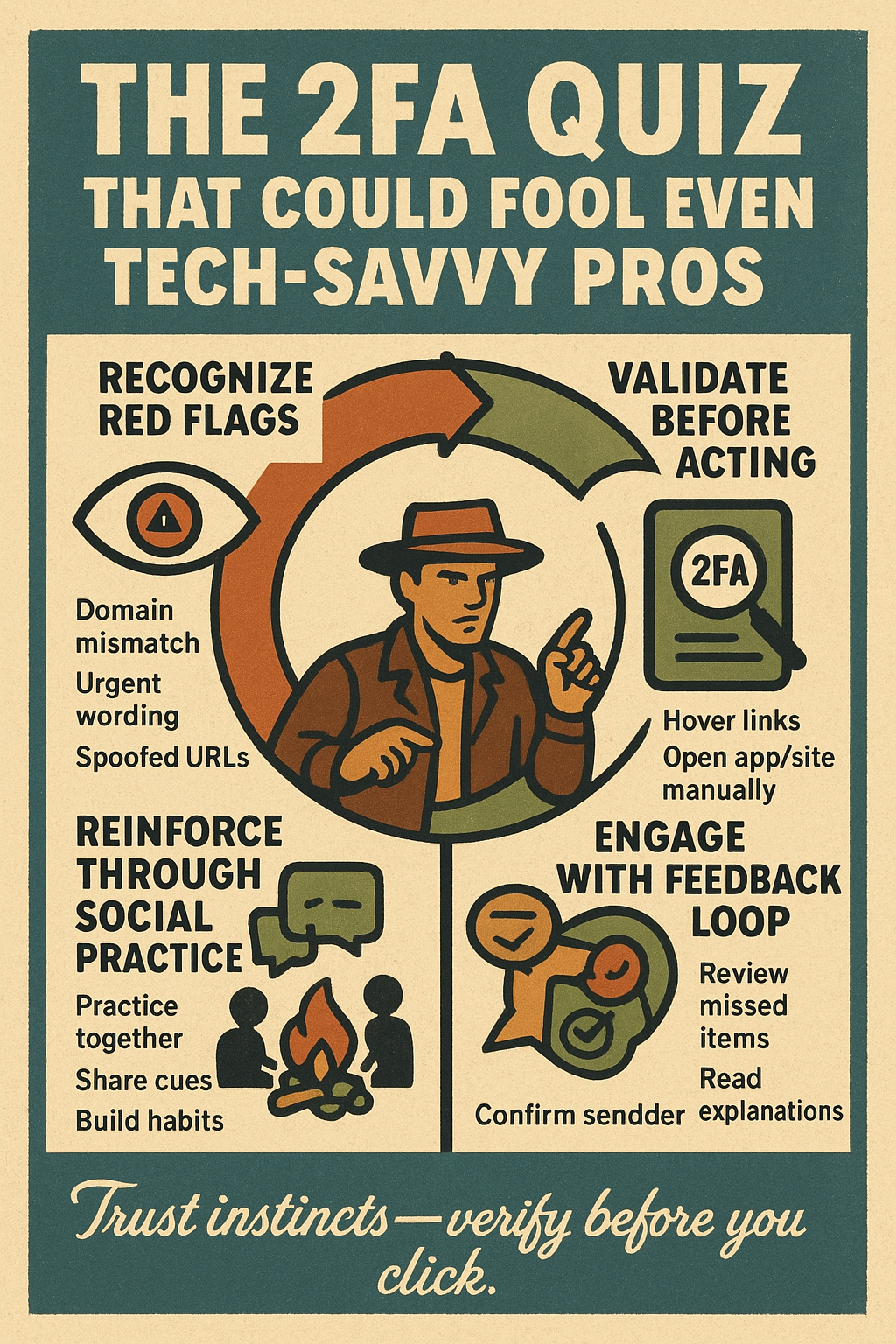
This quiz teaches you to spot red flags in 2FA prompts, pause and validate before approving, learn from quick feedback, and strengthen habits through team practice. Use it as a fast, repeatable exercise to build instincts that protect every login.
Practice this 4-step framework in the quiz weekly or after any suspicious prompt. Over time you'll move from reflexive approvals to quick, confident verification — dramatically reducing your team's exposure to credential-based attacks.
Real-world evidence: Mini case studies that prove the 2FA phishing quiz works
Below are concise, realistic scenarios that show why a focused 2FA phishing quiz matters. Each mini-case study highlights the attack flow, what went wrong or right, and the concrete lesson the quiz reinforces. These examples echo high-level findings that social engineering remains a top breach vector (Verizon DBIR 2024) and that *push-based* MFA attacks and "MFA fatigue" are on the rise (Microsoft, 2022–2023; Mandiant/Google analysis).
***Over two-thirds of breaches involve a human element; social engineering accounts for the majority of those incidents.***
Case study A — Simulated attack: fake 2FA push → spoofed login page
What happened: In a red-team exercise, attackers sent an automated push notification that mimicked the company's authenticator app. When a user tapped the notification, a deep link redirected them to a spoofed login page that captured credentials and the one-time token.
Why the quiz helps: The 2FA phishing quiz trains users to *validate device names, check originating app details, and open the service directly* instead of following unexpected prompts — steps that would have stopped this flow.
Case study B — Real incident: hesitation and a mistaken approval
What happened: An ambiguous push arrived while an employee was on a tight deadline. They hesitated, then approved to stop the repeated prompts. An attacker later used those session tokens to access sensitive files, prompting an immediate incident response and password resets.
Lesson: Time pressure and alert fatigue cause mistakes. The quiz simulates that stress and forces the same quick validation routine used in the 4-step method — turning hesitation into a structured check instead of a reflexive approval.