Morning Alert: Password Leak Remediation Starts Now
It’s 08:12 on a Tuesday when your monitoring tool flags a public data dump containing employee logins. A user calls because their accounts are locked across multiple apps. You feel that familiar drop — because one exposed credential can cascade across SaaS, VPNs, and on‑prem systems when passwords are reused. This article is a guided playbook for IT managers to act fast and with confidence.
Studies show credentials are implicated in over 60% of breaches — so how many services does one leaked password unlock in your environment?
The core challenge is simple but brutal: reuse and slow containment multiply damage. When one password leak hits, attackers can pivot from email to cloud consoles, VPNs, and legacy apps before teams finish triage. You need a repeatable pattern that both seals gaps and restores controlled access.
If you don't act quickly, reuse will cascade access across your estate.
Enter Password Patchwork: a template-driven remediation pattern that seals gaps quickly, reduces reuse vectors, and enforces controlled access with auditable steps. This is not a one-off checklist — it’s a playbook you can run across identity stores, SaaS, and network gateways.
Read on to convert panic into a concrete, actionable plan you can start today: prioritized steps, templates for user notifications and password resets, and verification checks that prove systems are secured. By the end you'll have a repeatable process for effective password leak remediation.
Why Password Leak Remediation Matters Now
In 2025 a single exposed credential rarely affects only one system. Cloud apps, SSO portals, mobile device syncs and unmanaged shadow IT create multiple, simultaneous attack surfaces. Attackers exploit credential reuse and increasingly harvest active sessions and tokens — not just passwords — using phishing, device compromise and API scraping to chain access across services.
That’s why one-off password resets and blanket MFA rollouts often fall short: resets are slow, users reuse credentials elsewhere, and generic MFA can be bypassed via token theft or push fatigue. Visibility gaps across SaaS and legacy systems let attackers pivot while teams react. Acting only on passwords leaves session and token risks unaddressed.
Password Patchwork is a structured, scalable pattern for rapid password leak remediation: a small set of repeatable actions — prioritized resets, targeted session invalidation, credential manager enforcement and scoped MFA hardening — that you can automate or run from runbooks. Integrate these steps with identity tools and ticketing to maintain auditability and reduce user friction. For the IT manager in the Hook scenario, it’s a calm, repeatable path from alert to containment.
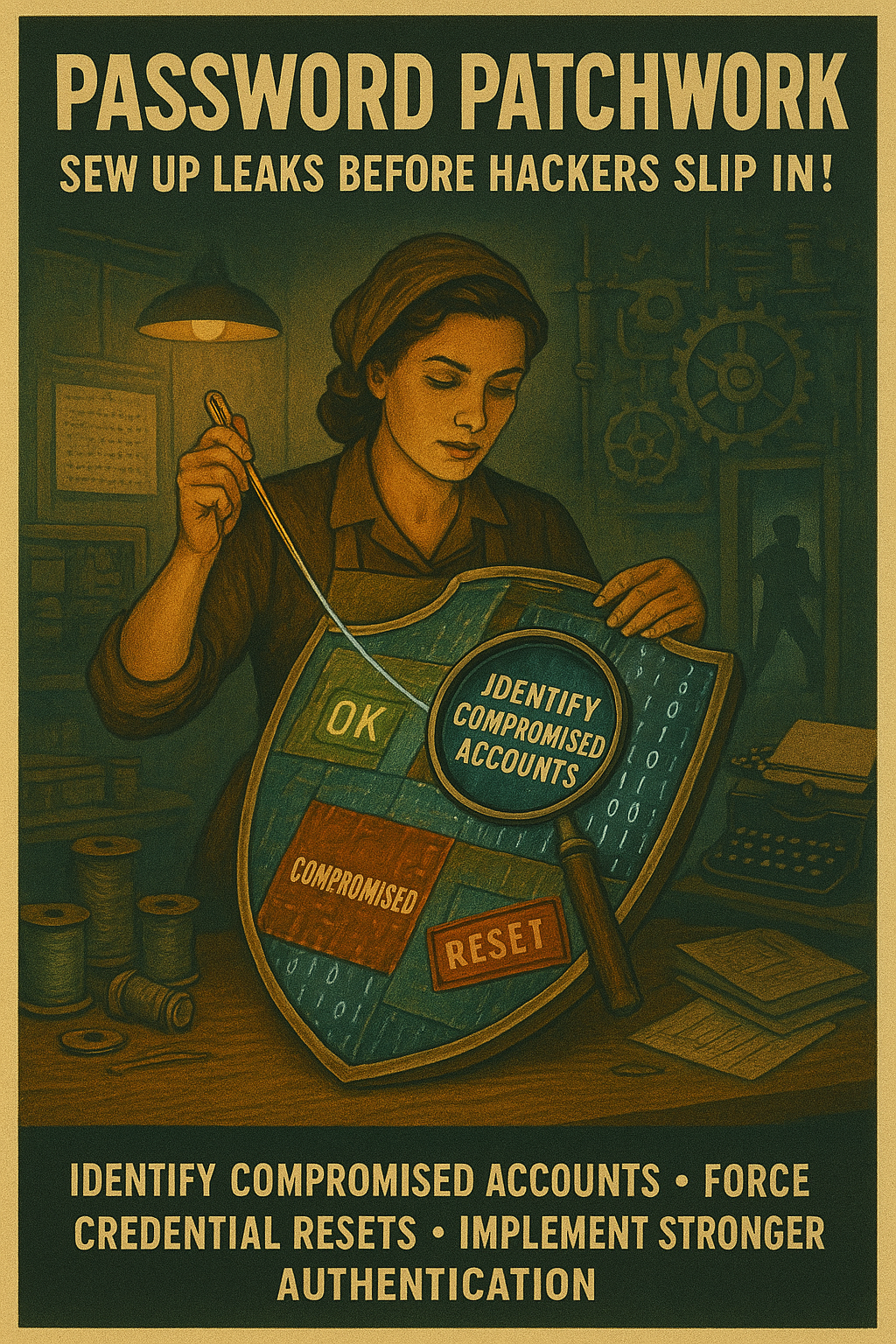
Password Patchwork: 4-Step Remediation Framework for password leak remediation
This template-driven, pragmatic four-step *Password Patchwork* method converts an alert into a repeatable containment runbook for IT managers. Follow these steps to perform fast, auditable password leak remediation across identity stores, SaaS and legacy systems.
Step 1: Identify and isolate compromised accounts
Quickly narrow the blast radius by mapping exposed credentials to your identity sources and sessions. Prioritize accounts with elevated privileges and SaaS owner roles.
- Scan breach feeds: Query breach-monitoring feeds and paste-hunt services; correlate matches with your directory (AD/Azure AD/IdP) and logins in the last 90 days.
- Isolate accounts: Temporarily disable or place accounts into a quarantine group and apply *conditional access blocks* to prevent new logins while investigation runs.
Step 2: Force credential resets and revoke active sessions
Resetting passwords without clearing sessions leaves tokens active. Execute resets and session revocations together to stop live attacker sessions.
- Force resets via directory APIs: Trigger scripted password resets (or temporary random passwords) and email reset links via your ticketing workflow.
- Revoke tokens and sessions: Invalidate refresh tokens, revoke OAuth consents and kill active sessions on gateways, VPNs and SaaS. Do not rely on password change alone — ***revoke sessions immediately***.
Step 3: Enforce stronger authentication — MFA rollout and enrollment
Raise the cost of account takeover by mandating MFA where it matters most and ensuring enrollment is verified before restored access is allowed.
- Require MFA for critical apps: Apply conditional access to force MFA enrollment for admin, finance, and privileged SaaS before access is re-enabled.
- Support fast enrollment: Provide one-click enrollment links, temporary helpdesk exemptions with short TTLs, and step-up authentication for risky transactions.
Step 4: Establish continuous monitoring, anomaly detection, and policy-driven automation
Containment becomes prevention when detection and automated policy stop reuse and surface suspicious behavior early.
- Enable anomaly detection: Feed logs to your SIEM/SOAR, tune alerts for impossible travel, new IPs, and credential stuffing patterns, and create playbooks for automated quarantines.
- Automate policy-driven actions: When a reused credential is detected, automatically require a reset, block the account, and throttle related IPs to prevent reuse across services.
Quick checklist
- Scan & map exposed creds
- Quarantine suspicious accounts
- Reset + revoke sessions
- Force MFA for critical apps
- Automate detection & response
Automation templates
- Script: Directory API reset + OAuth revocation
- SIEM rule: Reused-credential detection → quarantine group
- Conditional access: Block legacy auth, require MFA
Tip: Automate the triage path so the first alert runs the same containment steps every time — consistency reduces windows of exposure.
| Step | Immediate action |
|---|---|
| Identify | Scan feeds & quarantine accounts |
| Reset | Force password reset + revoke tokens |
| MFA | Require enrollment for critical roles |
| Monitor | SIEM alerts + automated policies |
Evidence and Real-World Proof for password leak remediation
The principle steps in Password Patchwork are supported by industry data. The Verizon DBIR 2024 found ~38% of breaches involved compromised credentials, reinforcing why rapid password leak remediation must pair resets with session revocation. A 2023 arXiv study analyzing Azure AD showed MFA cut account takeover risk by over 99% for enrolled users.
At mid-size Acme Logistics (1,200 users) a public dump exposed 47 employee logins. Using Password Patchwork—automated directory resets, token revocation, conditional access forcing MFA, and SIEM-driven quarantines—IR reduced time-to-contain from 48 hours to under 4 hours. Post-incident follow-up showed a 70% drop in credential-reuse alerts and zero lateral compromises.
Friction: mitigate via staged MFA enrollment, helpdesk shortcuts, and password manager mandates. Deployment timeline: use phased rollouts by business unit and automated scripts to reset and revoke tokens. App compatibility: gateway agents, legacy-app proxies, and scoped temporary exceptions let you protect high-risk assets while adapting integrations.
Industry reports back this: Verizon DBIR emphasizes credential abuse as a leading vector, and controlled MFA enrollment programs have repeatedly shown rapid benefit in live incidents. Conditional access policies that block legacy auth and require step-up reduce successful reuse attacks and simplify targeted containment.
These measures don’t eliminate risk but produce measurable reduction in exposure when combined with monitoring and automation. Follow the prioritized, automated steps in the playbook to convert evidence into faster, auditable containment.
Practical Next Steps: Implementation Checklist for password leak remediation
Use this checklist to execute rapid, auditable password leak remediation across identity and SaaS estates. Complete items in order and automate where possible.
- 1. Run credential exposure scans: query breach feeds, paste sites, and internal logs; flag matches.
- 2. Identify critical assets: map exposed accounts to roles, owners, and privileged resources; prioritize admin and finance.
- 3. Force resets for affected accounts: script directory/API resets and issue temporary credentials via ticketing workflows.
- 4. Revoke sessions/tokens: invalidate refresh tokens, OAuth consents, VPN sessions and API keys — revoke immediately.
- 5. Enroll users into MFA: require enrollment before restoring access and verify authenticators.
- 6. Deploy conditional access policies: block legacy auth, require MFA for high-risk sign-ins, and apply geofencing.
- 7. Harden SSO & third-party app integrations: rotate client secrets, review app consents, and enforce least privilege.
- 8. Implement automated monitoring & alerting for reuse attempts: SIEM rules, throttling, and auto-quarantine playbooks.
- 9. Communicate with users and provide training/awareness: use standard notification templates and step-by-step reset guides.
- 10. Review and iterate: conduct post-incident reviews, update runbooks, and schedule regular drills.
Tools/resources: credential management tool, MFA provider, identity & access policies, ticketing, SIEM/SOAR, incident response templates, password manager rollout guides. Prerequisite: ensure team has access to the credential management tool and directory APIs before starting.
Closing Strong: Apply Password Patchwork for Effective password leak remediation
You now have a repeatable pattern that turns chaos into measurable containment. Apply the Password Patchwork to stop reuse, revoke sessions, and restore controlled access across identity stores and SaaS. For IT managers, this delivers faster time-to-contain, fewer lateral compromises, and auditable trails for compliance.
This is not theory — it is an operational template you can adopt today. Use the runbooks, automation templates, and checklists to close every gap after a password leak as part of practical password leak remediation, and measure reduction in exposure with KPIs like mean time to contain and number of reused-credential events prevented.