Campfire Story: Social Engineering Detection in the Wild
After an eight-hour shift the team gathers by the campfire—literal embers and the ember of a Slack thread both glowing. The fire crackles, coffee cools, and someone leafs through rustling notes while a phone whispers: one more push notification. You can almost taste the evening air; it’s the kind of calm that makes mistakes feel impossible.
Then a call cuts through: a voice claiming to be from IT, calm but insistent, saying there’s a critical system problem and they need your login right now to prevent data loss. It’s a classic phishing moment—authority, urgency, and a sidelong misdirection all wrapped in friendly tone. Even the most vigilant employee can feel the pressure.
That pressure is why social engineering detection is so difficult: attackers weaponize psychology—urgency, authority, and misdirection—to make rapid decisions feel safe. The Campfire Test is a simple, repeatable framework you can use in the pause between the ping and the reply: a three- or four-step mental checklist to spot red flags and buy a few calm breaths.
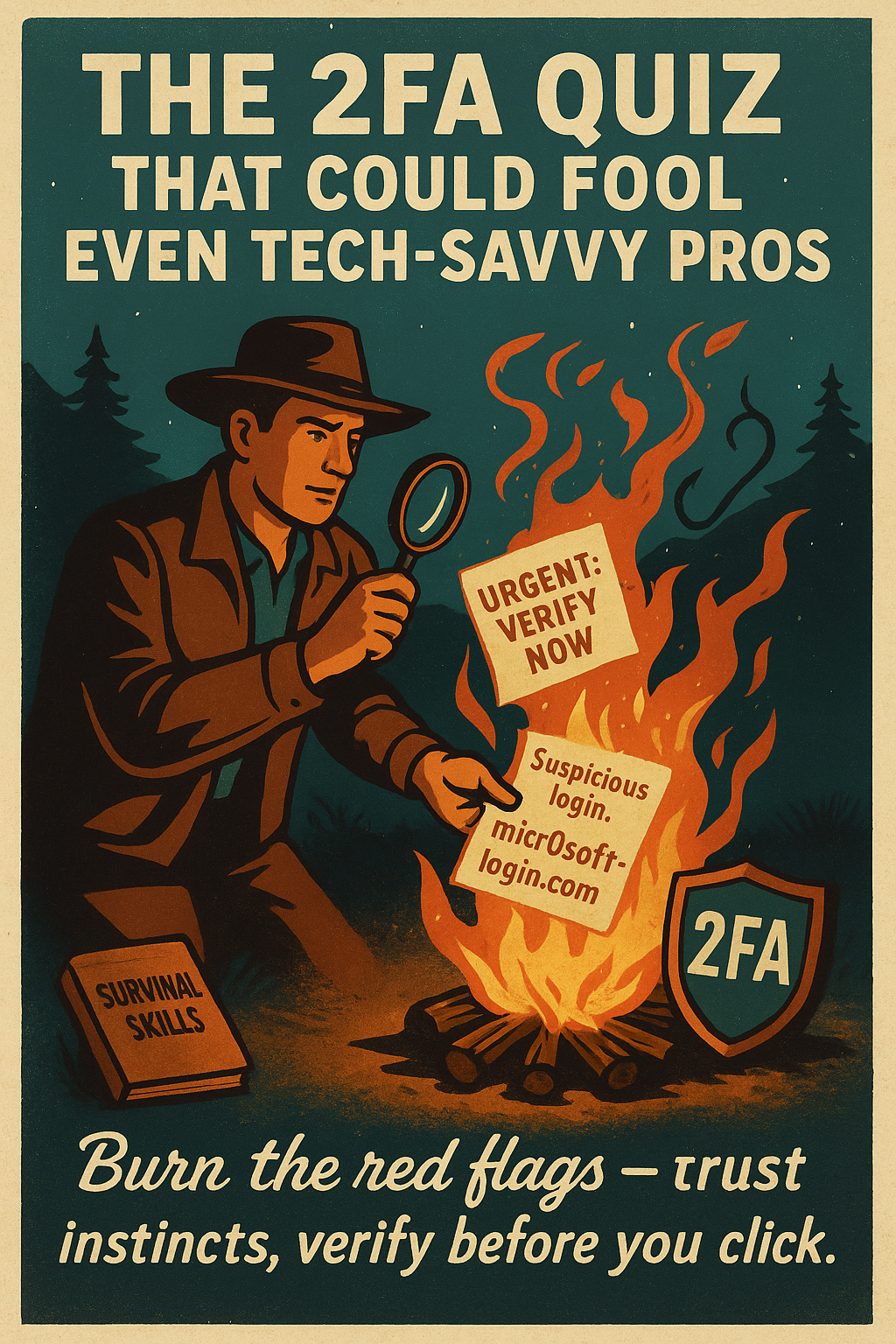
The Campfire Test: four quick checks to stop, verify, and respond safely.
By the end of this piece you’ll have a practical, reproducible skill to apply the moment your phone whispers again—so you act deliberately, not reflexively. Read on to the CONTEXT section to see how real incidents map to each Campfire Test step and why it works.
Why Social Engineering Detection Still Wins
Social engineering is the practice of manipulating people into revealing information or taking actions that compromise security. Attackers exploit authority, urgency, and trust to bypass technical defenses, which is why social engineering detection must focus on human judgment as much as tools.
Traditional awareness efforts often miss the mark because they feel artificial and episodic.
- One-off phishing tests: Fail to replicate live pressure
- Generic awareness posters: Don't change everyday behavior
- Fear-based training: Causes avoidance or fatigue
Employees routinely juggle tasks, deadlines, and urgent requests; attackers exploit that cognitive load. The Campfire Test frames detection as a short, story-driven survivorship framework that uses security awareness storytelling, cognitive cues, and simple steps to make suspicious prompts easier to spot. It trains quick heuristics rather than long checklists, which reduces mental friction and boosts confidence.
Never share credentials in response to an unsolicited request.
Read on to the SOLUTION/METHOD section to see the step-by-step Campfire Test and how it builds real-world phishing survival skills against common psychological manipulation tactics.
The Campfire Test: 4 Steps for Social Engineering Detection
Around the campfire, small checks save lives — the same is true for digital interactions. Use these four clear steps to slow down and spot social engineering attempts before they succeed.
Step 1 — Pause and assess the source
Stop. Breathe for five seconds before replying to any urgent request. Look at the sender or caller identity: email address, phone number, or display name. Ask: "Do I recognize this contact? Does this align with my role?" If anything feels off, do not respond immediately.
- Quick prompt: Pause for 5 seconds and name the request out loud.
- Check: Is the email domain exact? Is the phone number familiar?
Step 2 — Read the room and identify cues that signal manipulation
Listen for emotional pressure: urgency, authority, or flattery. Look for unexpected language, requests out of context, or contradictions. These are your campfire sparks — small signs something could spread into a bigger problem.
- Quick prompts: Note the tone; ask "Why now?" and write down mismatched details (time, project name, signature).
- Red flags: Requests for credentials, pressure to bypass normal processes, or refusal to use official channels.
Step 3 — Verify through official channels or independent checks
Confirm via an official path you already trust — internal IT directory, the company intranet phone number, or your ticketing system. Do **not** use contact details supplied in the suspicious message.
- Verify: Call the known IT number, open a support ticket, or DM a manager using a contact you already have.
- Ask: "Can you confirm this via a support ticket or our internal directory?"
Step 4 — Decide, log, and share for accountability
Decide to ignore, escalate, or follow a confirmed instruction. Log the interaction in your team channel or security reporting tool with time, contact, and a short transcript. Share the outcome so colleagues learn from it.
***Never share credentials in response to an unsolicited request.***
Immediate Actions
- Pause: Count to five before replying.
- Observe: Screenshot the message or note the caller ID.
- Ask: "Is this within my responsibilities?"
Follow-ups
- Verify: Use the internal directory or official phone number.
- Log: Add time, contact, and brief transcript to your report.
- Share: Notify IT/security so others can be warned.
These four steps turn a reflexive reaction into a short, repeatable routine — a survival habit you can use whenever the phone whispers. The campfire metaphor helps you remember: pause, look for sparks, verify the source, and keep the group safe.
Next, move to the EVIDENCE section to see real examples, call transcripts, and sample logs that map to each Campfire Test step.
Real-World Evidence: How the Campfire Test Works
Below are concrete examples and mini-case studies that show how the Campfire Test improves social engineering detection in routine calls, emails, and messages. These scenarios highlight common psychological manipulation tactics — urgency, authority, and misdirection — and show how quick verification reduces risk.
Scenario A — Urgent IT Call
You receive a phone call from someone claiming to be IT, insisting they need your login to fix a ‘critical’ outage immediately. The attacker uses authority and urgency to force a reflexive reply. The Campfire Test triggers: pause, name the request, verify the caller via the internal directory (not the number they gave), then log and escalate. Result: credentials never shared and ticket opened. ***Never share credentials in response to an unsolicited request.***
Scenario B — Spoofed Vendor Alert
An email arrives with a branded invoice and a link to ‘confirm’ payment. The sender domain is slightly off and the attachment is unexpected. The message uses misdirection and mimics vendor tone. The Campfire Test: pause, inspect the full email address, do not click links, and call the vendor using a stored number. Outcome: phishing link avoided and finance alerted.
Training that simulates pressure and encourages verification reduces susceptibility to social engineering.
Common objection: "What if it’s genuinely urgent?" The Campfire Test provides safeguards: use official channels, request a support ticket ID, or ask the caller to pause while you confirm. In high-pressure environments, these short steps are permitted and documented; they both protect data and maintain operational continuity.
Next: Implementation — how to train and operationalize the Campfire Test across your team.
Implementation: Practical Next Steps for social engineering detection
Use this numbered checklist to operationalize the Campfire Test across your team.
- Create a one-page Campfire Test checklist: include a set of brief, practical prompts (e.g., Pause—name the request, Why now?, Call known IT number). Keep it printable and pinned.
- Train leaders or security champions: deliver a 10–15 minute micro-session focused on role-play, the checklist, and a short phone verification script.
- Roll out three practice scenarios: one per week with a short debrief after each. Week 1: urgent IT call; Week 2: spoofed vendor email; Week 3: unusual privileged request. Capture lessons in the shared log.
- Provide templates and tools: Phone Verification Script, Verification Log, and Internal IT Contact Quick Reference. Store them in a shared drive and include in onboarding.
- Introduce a simple evaluation method: baseline quiz plus weekly scenario scoring (detect/verify/log) and a trend chart to measure improvement.
Tools and resources needed
- Internal directory (verified phone numbers and emails)
- Official contact methods (corporate phone, ticketing system)
- Shared incident log (shared drive or ticketing channel)
- Simple quiz form (to record baseline and weekly scores)
Immediate actions
- Download the templates to your shared drive.
- Schedule a 10–15 minute team huddle this week.
- Nominate one security champion to run week 1.
***Never share credentials in response to an unsolicited request.***
Forward Momentum for social engineering detection
The Campfire Test turns fear into routine. Teams gain confidence spotting manipulation, perform faster verification without disrupting work, and build a more resilient team culture that shares lessons instead of blame. That confidence reduces hesitation and prevents rash credential sharing, improving both security and continuity.
Take action now: share the Campfire Test with your team, pin the one-page checklist where everyone can see it, and schedule a 10–15 minute practice huddle this week. Encourage leaders to run short role-plays, use the phone verification script, and log outcomes so learning spreads fast.
For teams ready to go deeper, integrate ongoing scenarios and measured campaigns using the ATTACK Simulator to simulate pressure, track improvement, and tailor training to real weaknesses. Measure progress with a baseline quiz, weekly scenario scoring, and simple trend charts that make improvement visible and actionable. Nominate a security champion to coordinate practice rounds and share highlights with leadership.
The campfire story continues as threats evolve, and your team can stay one step ahead by practicing these skills.